
01 / 03
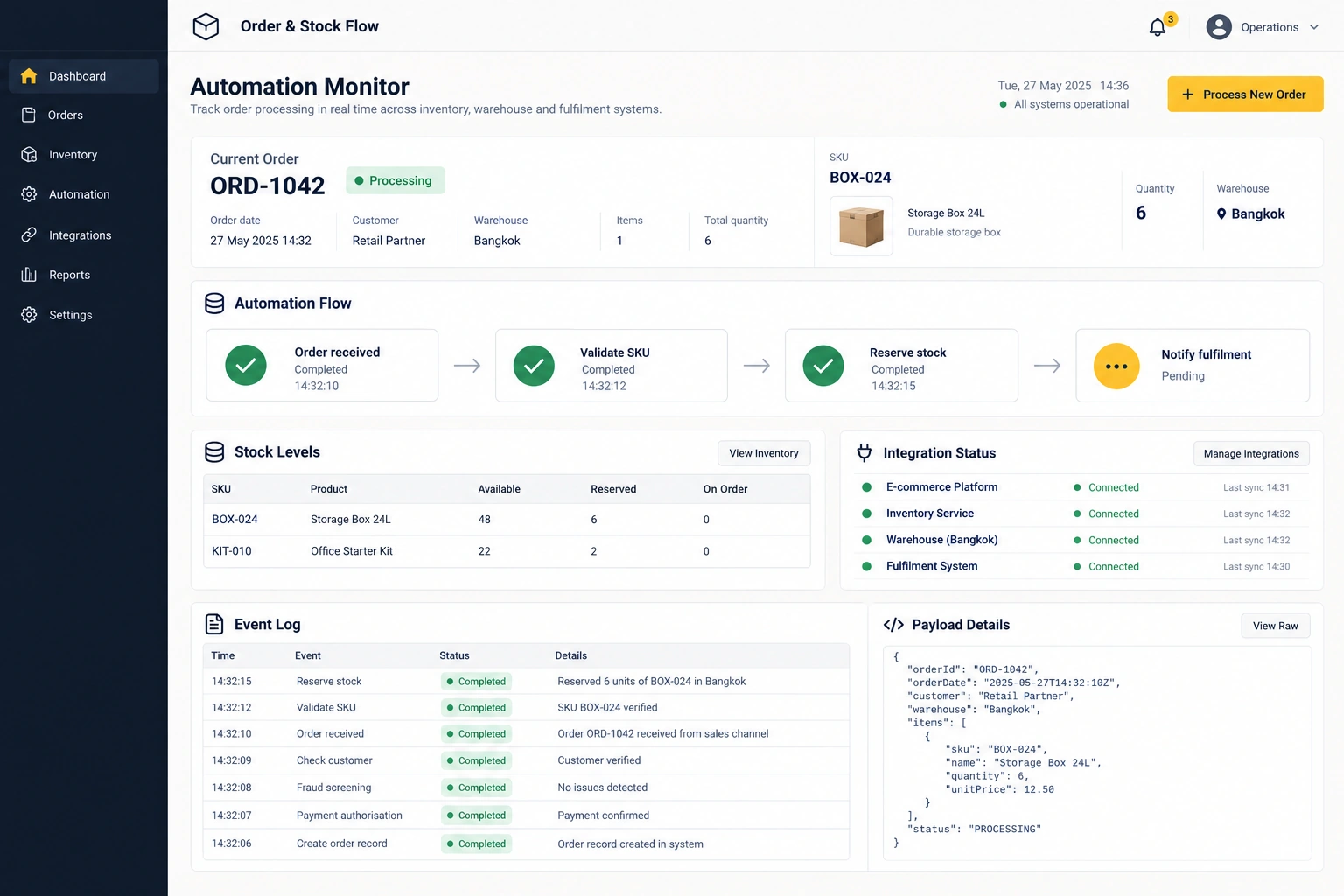
Order-to-stock workflow monitor
The problem Manual order and stock copying creates mismatches
Orders, inventory state and exception check
View full-size visualConnect fragmented work and data, reduce repetition and make work status easier to see.
Discuss your project ↗
Manual copying, data entry and handoffs take time and create inconsistent records. We identify worthwhile connections and define ways to catch errors.
Staff manually rekey order and job data between spreadsheets and multiple apps.
Data connects to a work tracking system with human checkpoints and exception handling.
The team gains back time to focus on revenue-generating work or serving customers better.
Example: An owner-operator needing to manage field data and input it into systems for documentation.

We examine current steps and systems, define inputs, outputs and ownership, then build the necessary workflow or software with testing and documentation.
Start with repeated tasks and clear rules, such as data handoffs or status updates. Separate deterministic steps from tasks that actually need AI interpretation.
Input/output mapping, agreed integrations, error logging, retry handling and tests for successful and failed runs.
Prepare the current workflow, volume, anonymised examples and source/destination API limitations.
Access and vendor limitations affect scope. Not every system can be integrated; production migration needs agreed acceptance checks.
Automation connects workflows across systems once rules and inputs are clear. If you have not yet decided which process to prioritise and need to choose a pilot, see AI Consulting & Workflow Assessment. If you prefer to develop skills to use AI in your own routine without building system integrations, explore Private AI Training.
Discuss your requirements →Three enduring business problems, shown through the work designed to solve them.
The problem Manual order and stock copying creates mismatches
Orders, inventory state and exception check
View full-size visual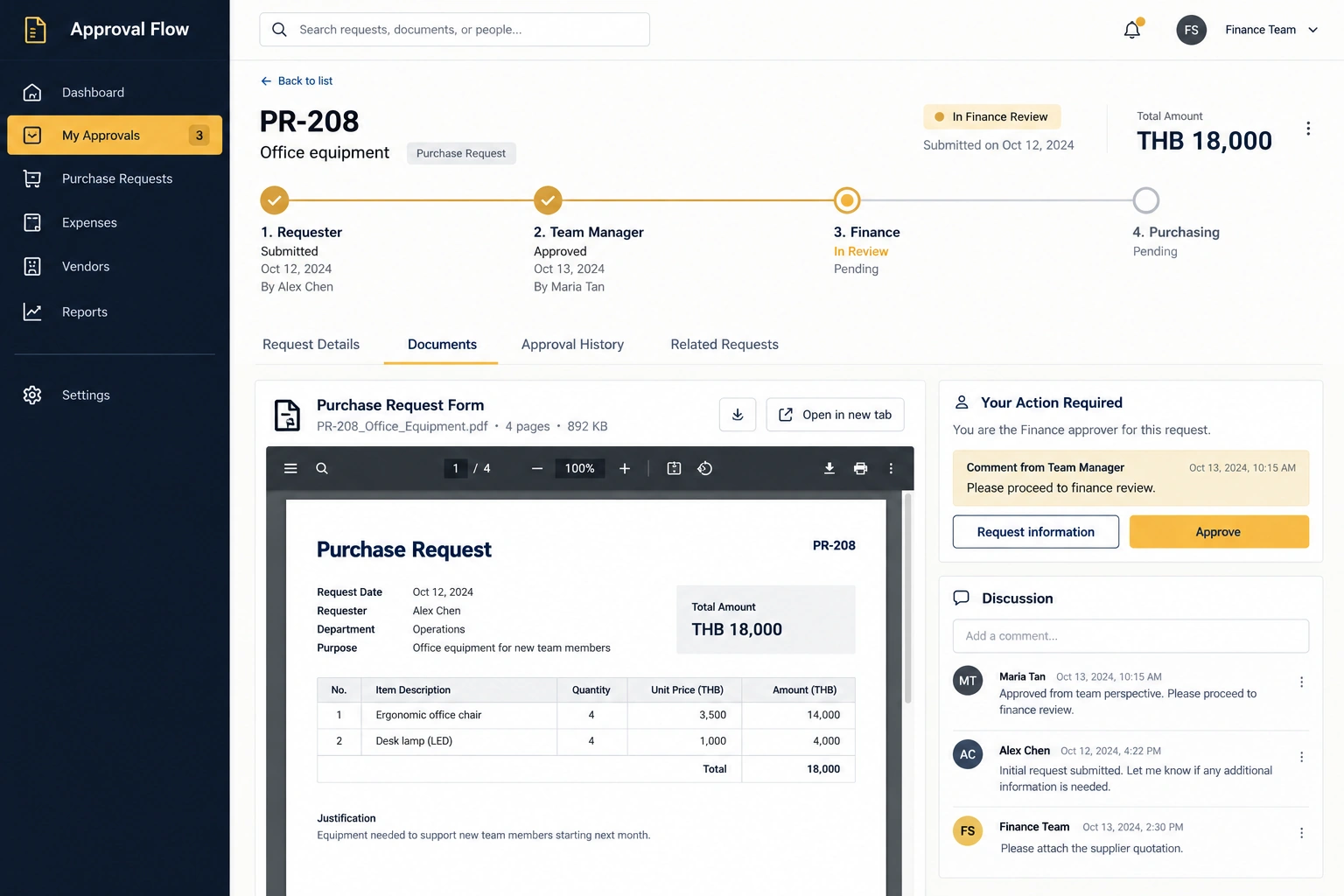
The problem Approvals stall when document ownership is unclear
Request, approver, stage and history
View full-size visual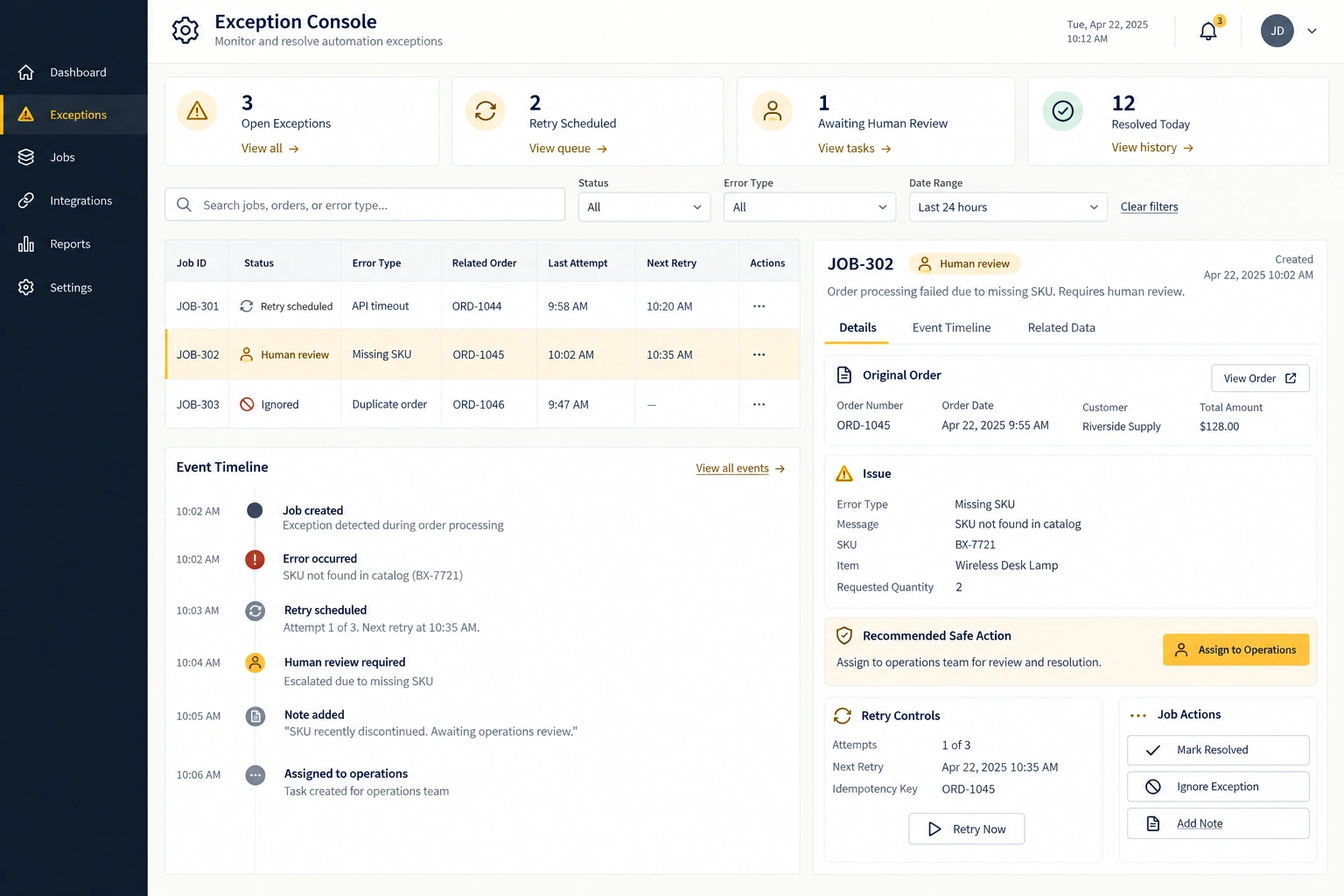
The problem Failed integrations silently drop work
Errors, retry state and human owner
View full-size visualScreens from a test environment for point-of-sale work, stock management and item checks before dispatch.
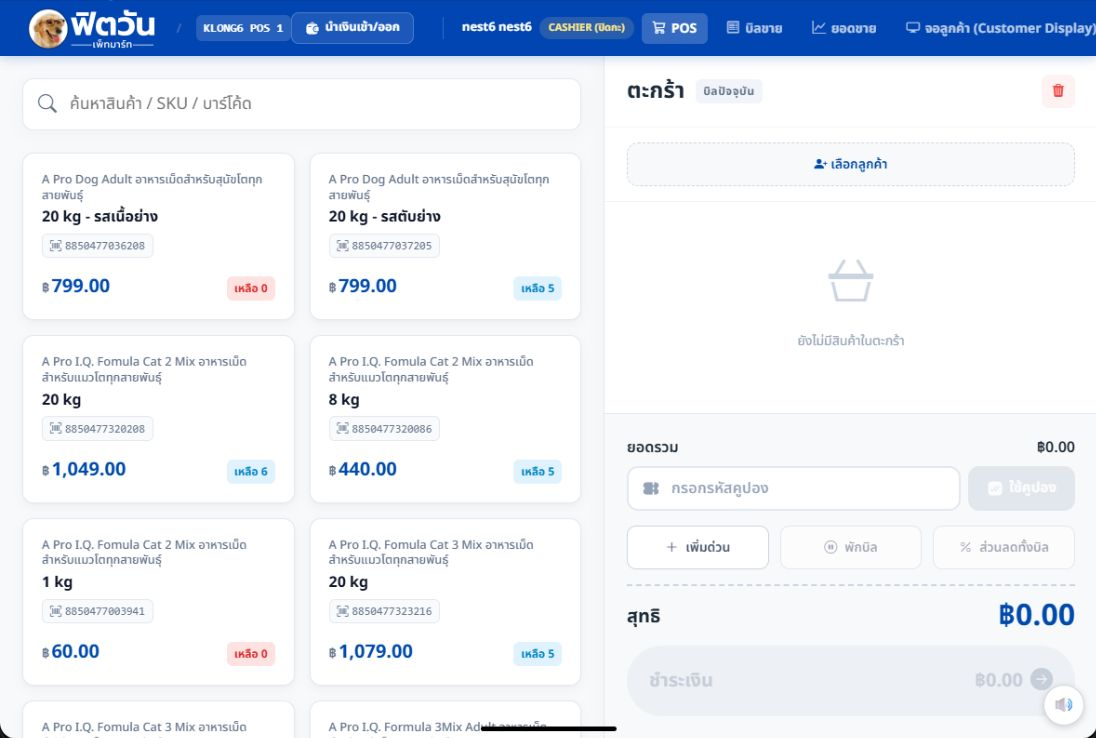
Product, SKU and barcode search, with stock quantities and a shopping cart.
View full-size POS screen (opens a new tab)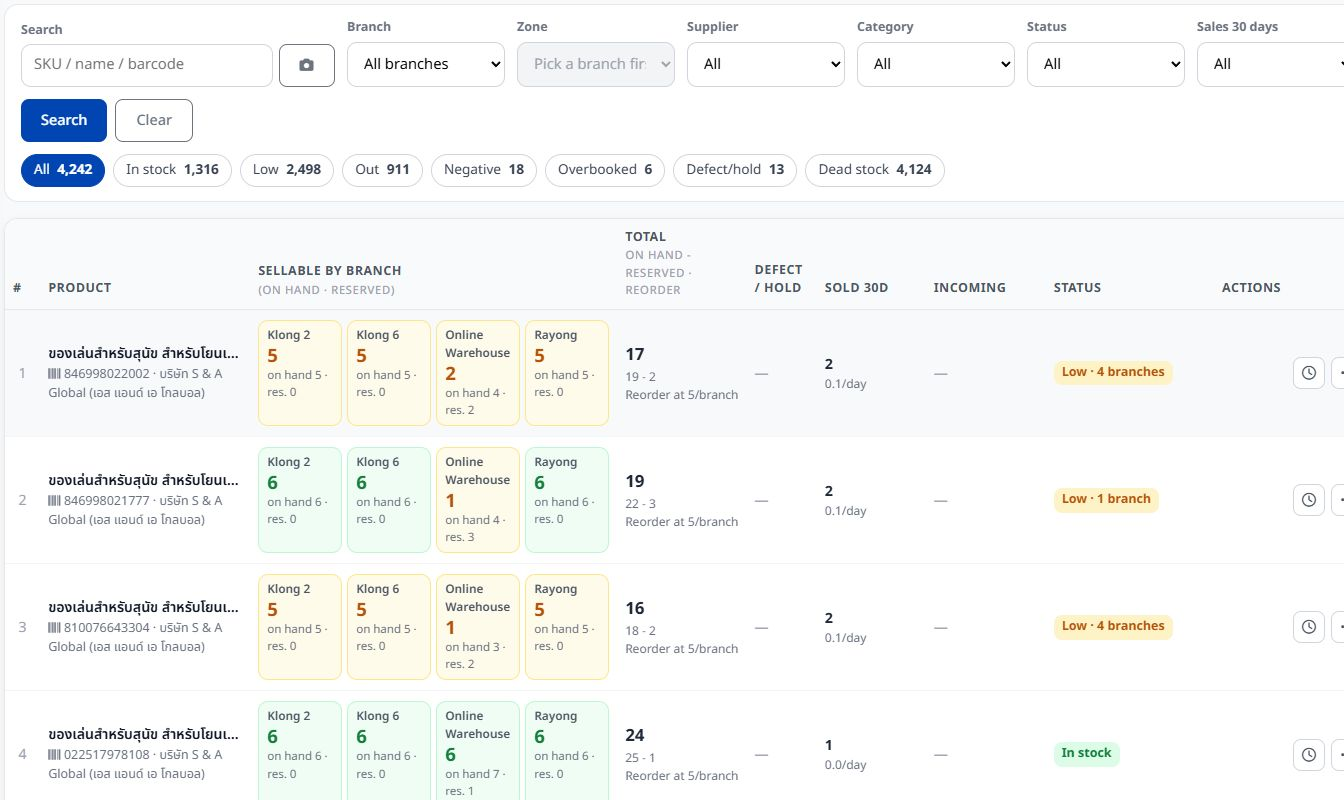
Stock by branch, with product search and filters for branch, category and inventory status.
View full-size warehouse screen (opens a new tab)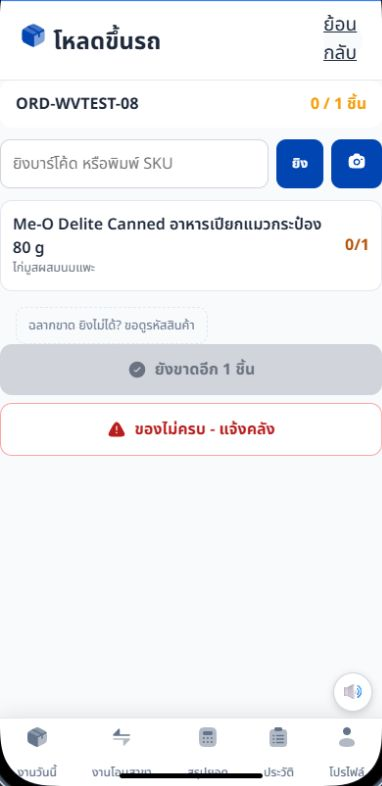
SKU scan or entry, item checks before loading, and a control to report missing items to the warehouse.
View full-size delivery screen (opens a new tab)Choose work with a clear trigger, input and output, such as turning a request into an item for human review. An initial engagement can cover one workflow and up to two systems, subject to sample data, permissions and integration feasibility before quoting.
No. Clear rules for validation, data transfer or formatting may be handled with conventional software. AI may be useful for interpretation or drafting when there is a way to review its output. The task determines the technology.
We define and test normal processing, duplicates, malformed inputs, authorization failures, bounded retries and human handoff. Actions requiring approval do not proceed automatically. Status records support diagnosis without retaining unnecessary confidential data.
Handover covers operating instructions, ownership and a manual fallback, with corrections and support defined in the proposal. API changes, new features or additional systems may need a new estimate. Responsibility for tool charges and accounts is agreed explicitly.

Design and build AI solutions around real company work, from data and marketing to sales, customer service and internal operations.
↗
Help teams answer questions, qualify enquiries, follow up and hand important cases to people.
↗
Assess workflows, data and team readiness to choose AI opportunities that fit business goals.
↗